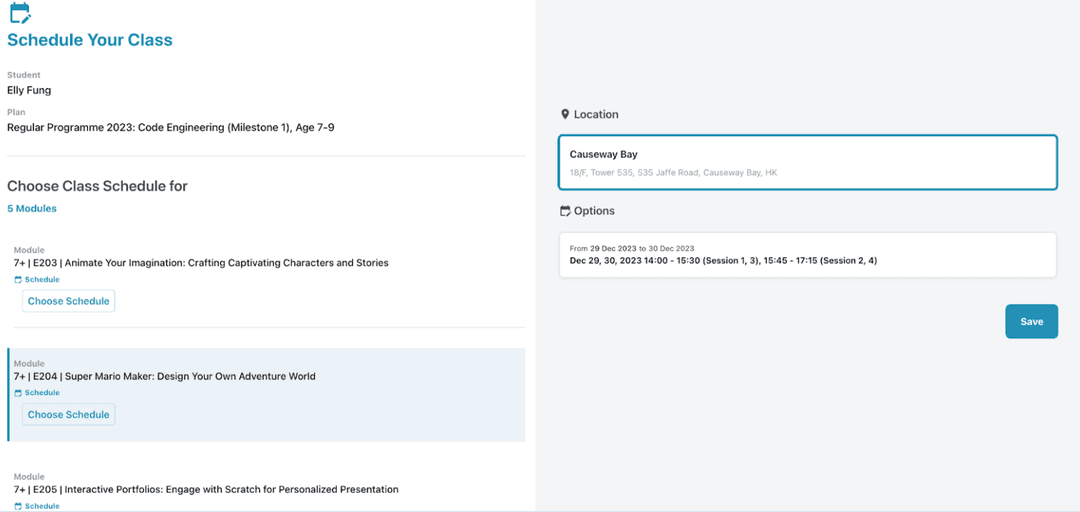
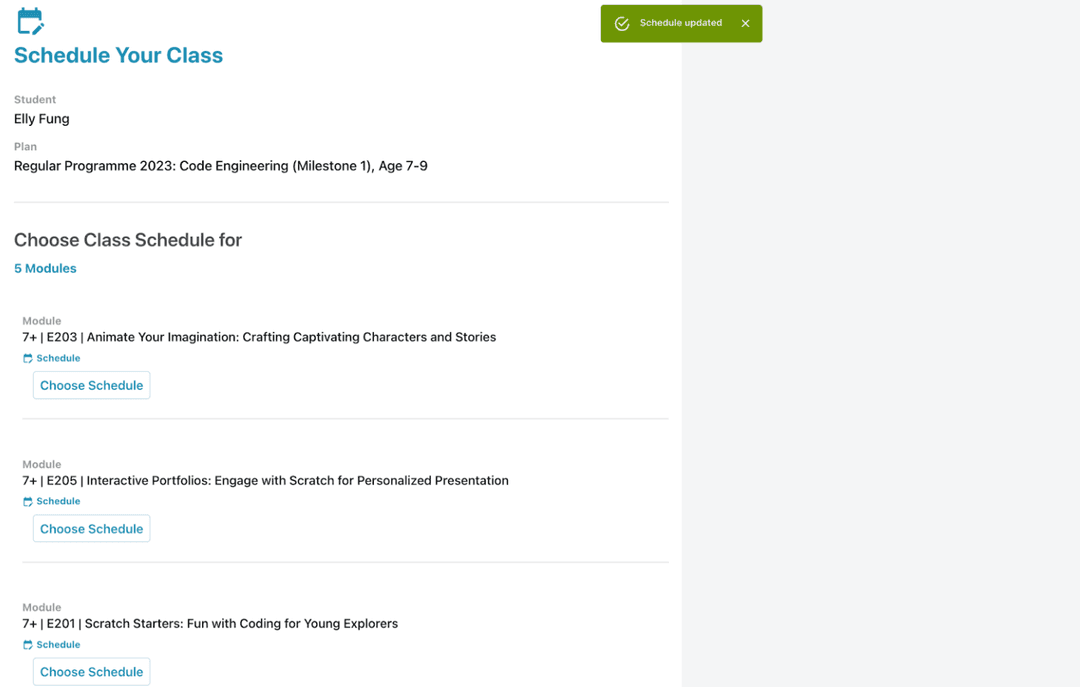
Schedule Class After Purchase
1. Log in to the parent account (make sure to link with kid account)
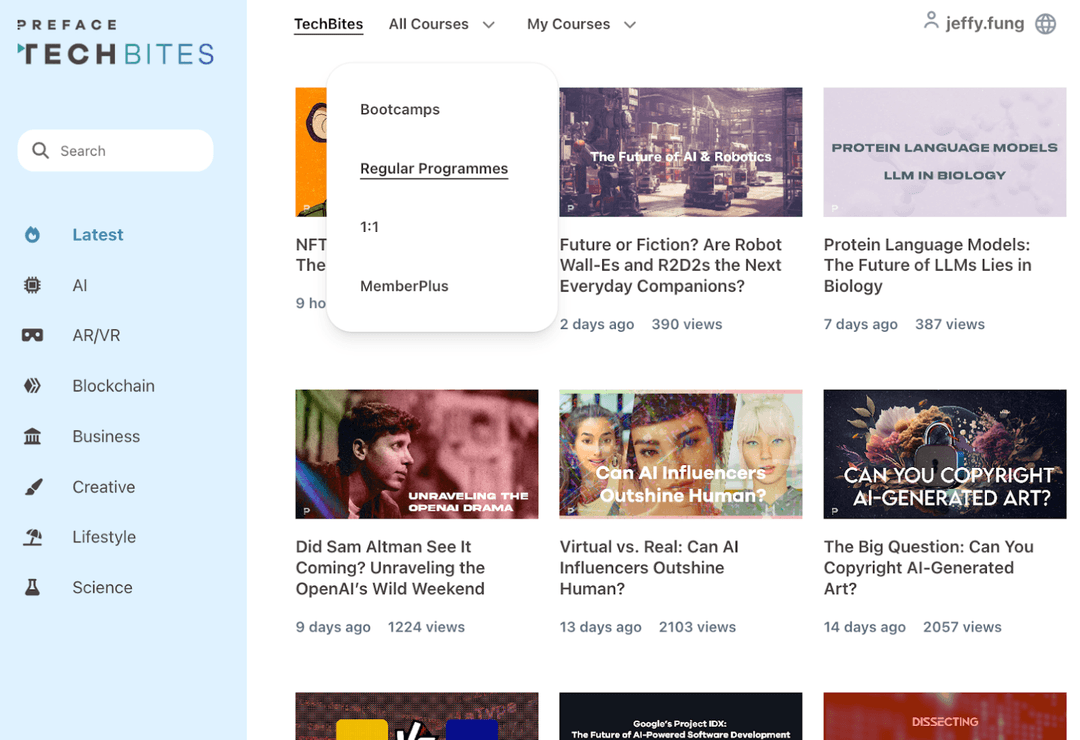
2. Go to the “All Courses“ drop-down menu and select Regular Program to select the course
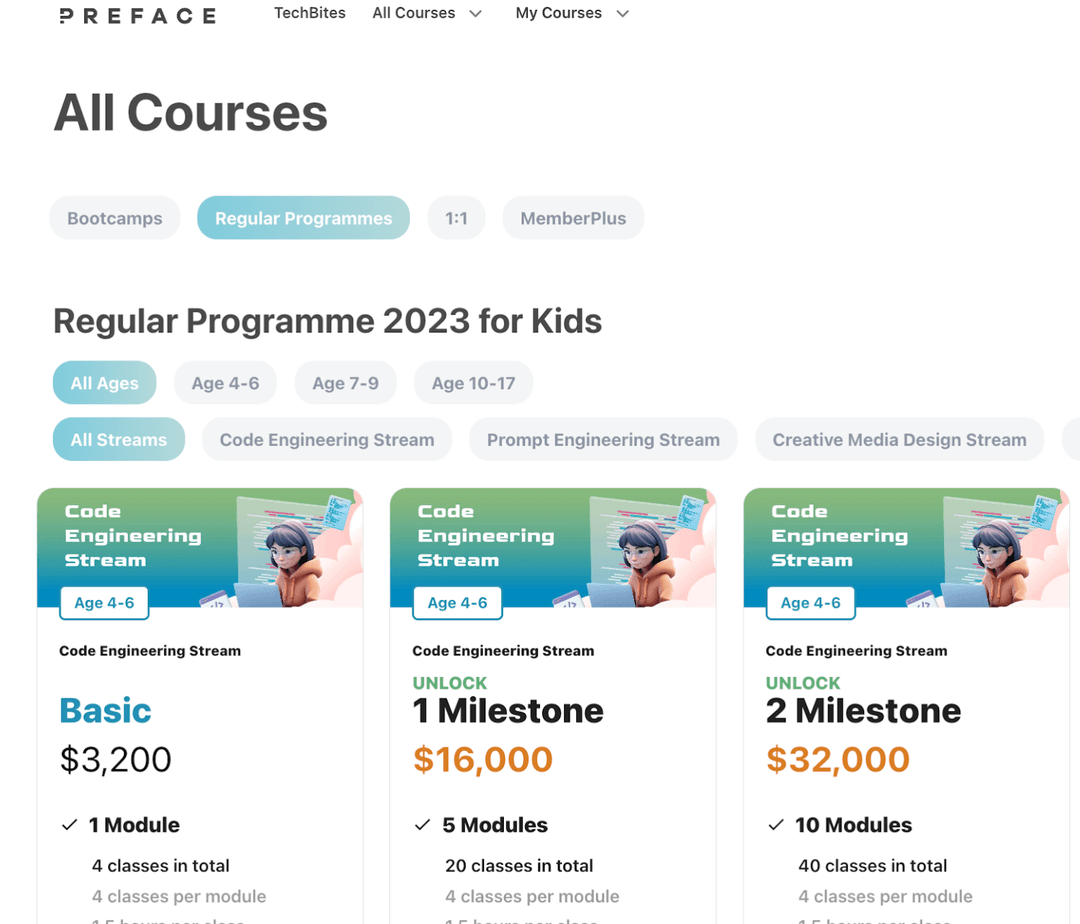
3. Select the child's age group and the course (eg. Code Engineering/Prompt Engineering/Creative Media Design/Aerospace and Robotics) to proceed
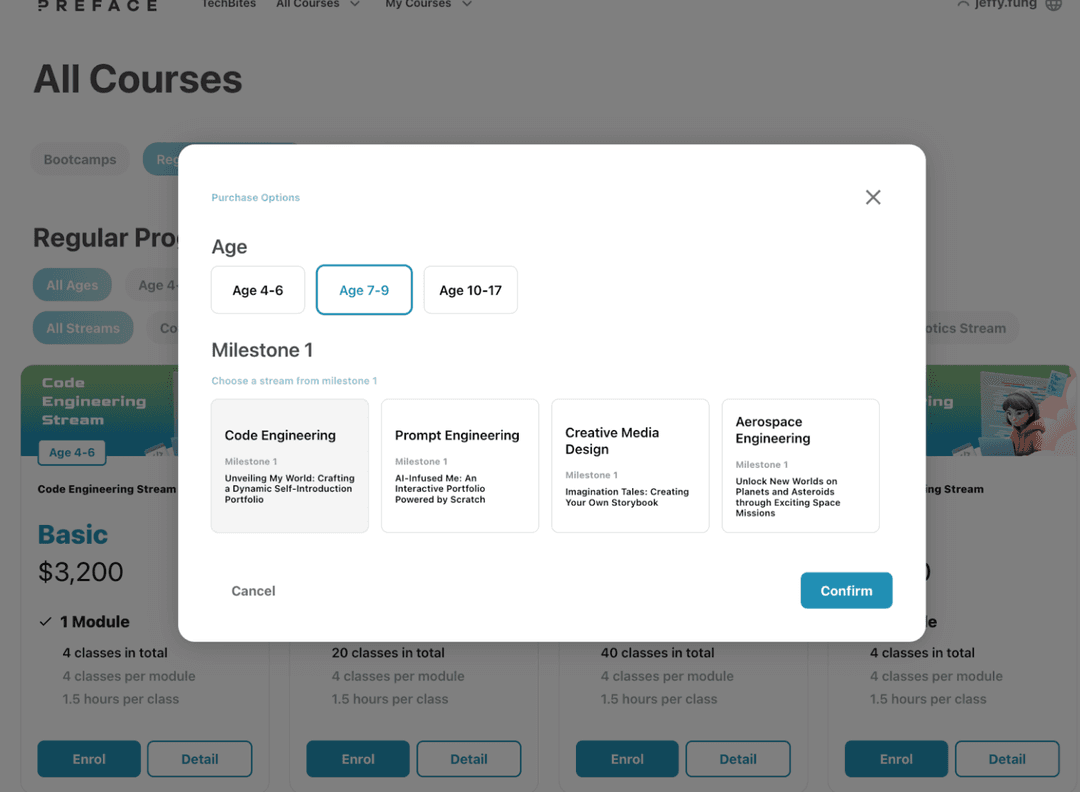
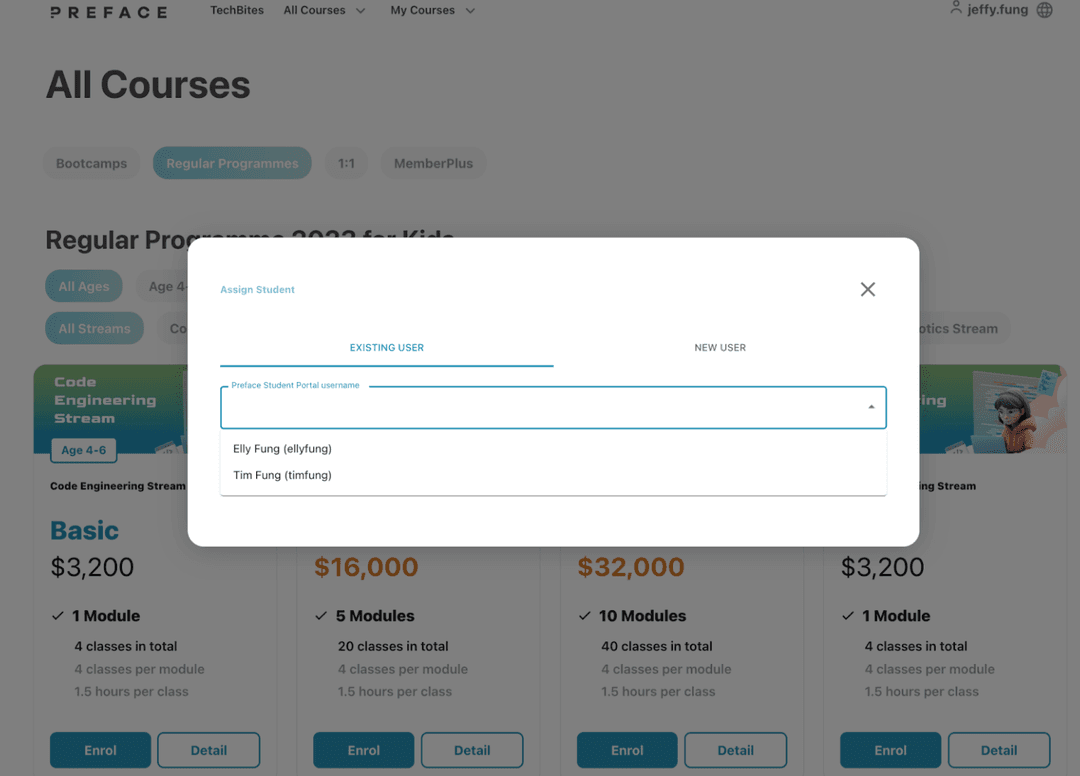
4. Select the correct child's account
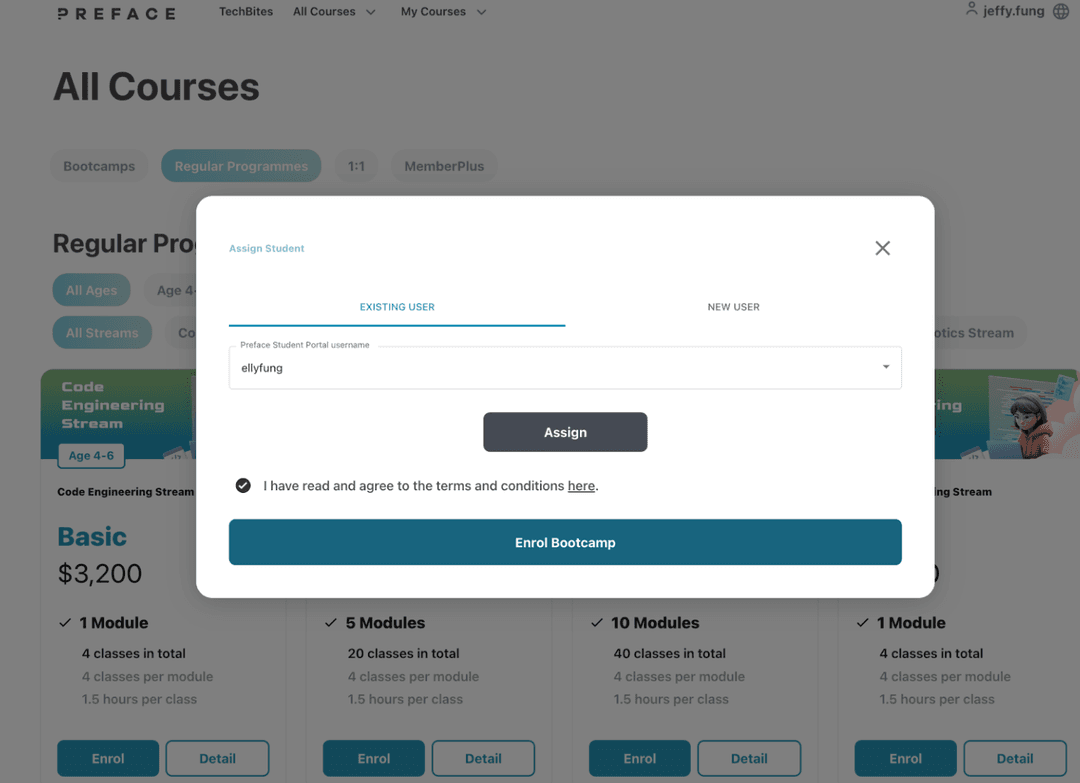
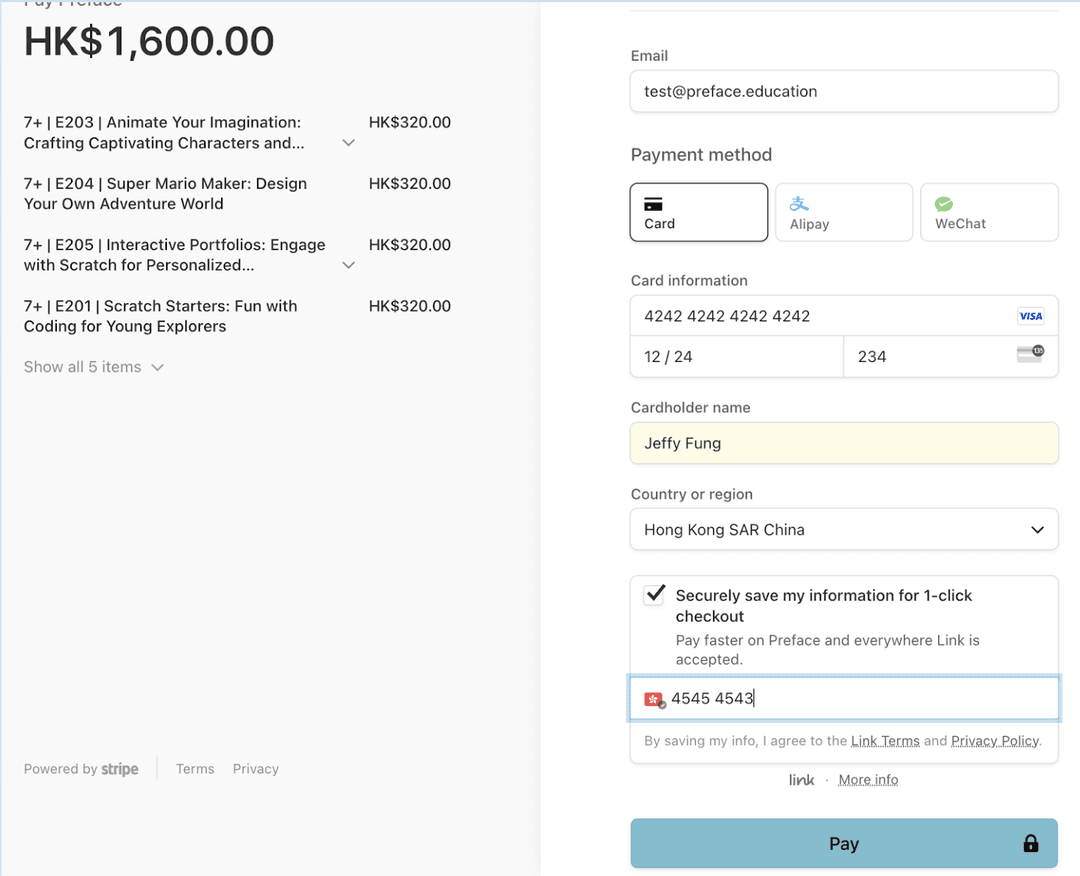
5. Input the payment information to proceed. Read and press “Agree“ to the T&C to proceed
6. Select the appropriate location and class times and press the “Save“ button